


Autolink
3.1542.00 Reviews
App Specs
- Version
- 2.0.59
- Updated On
- License
- Free
- Downloads
- 1,000,000+
- Developer
- 凌阳成芯科技(成都)有限公司
- Categories
- Auto & Vehicles
- Platform
- Android, iOS
Screenshots
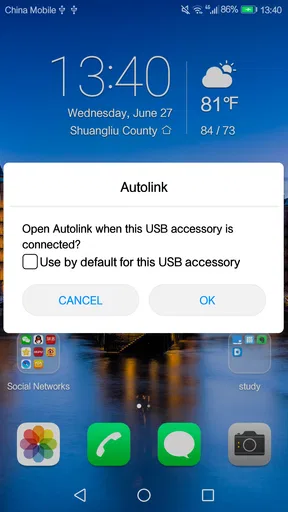
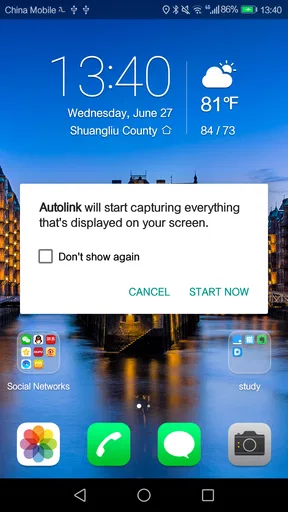
 Analysis by AppCompare
When a car is shared, even small questions can turn a routine trip into a coordination problem: which phone is connected, where the car was left, and who is handling the next drive? That is the kind of situation where a vehicle-and-phone companion can be useful. Autolink is an Auto & Vehicles app from 凌阳成芯科技(成都)有限公司, and I’d consider it for drivers who want their phone and car system to work together rather than treating them as entirely separate tools.
That shared-car angle matters more than a long list of features. In a household, one person may use the car for commuting while another borrows it for errands. A connected app can make the handoff feel more organized, but it does not automatically make every driver’s account, settings, or information shared in the right way. I would start by deciding who should use the app and whose phone should be connected, then make the first test drive a short, familiar route.
Using Autolink with a shared car
When I think about using Autolink with a shared car, I focus less on passing around one phone and more on agreeing who connects their device for each drive. That small distinction can prevent an everyday handoff from turning into a privacy or setup surprise, and it sets up the next question: how to keep each driver’s boundaries clear.
Start with a deliberate phone-and-car setup
The practical appeal of a vehicle-and-phone app depends on the connection working reliably in the car you actually drive. Before counting on it for navigation or a trip, I would check that the car’s system and the phone pair as expected, then try a few basic tasks while parked. That simple first check is more useful than discovering a connection snag when you are already trying to leave.
For a car used by more than one person, it also helps to agree on a small routine: connect the intended phone before setting off, check that the route is ready, and disconnect or switch devices when the driver changes. This is not a special household-management feature; it is just a sensible way to avoid one person’s phone silently becoming the default for every trip. If drivers prefer to keep their phones separate, they should decide that boundary before relying on the app together.
What it can add to an ordinary drive
The broader promise of this kind of app is to bring phone use into the driving environment, where a vehicle’s own controls and display may be easier to consult than a handset. That can be useful on a commute you already know: set up what you need before moving, keep your attention on the road, and avoid fumbling with the phone at a junction. I would treat any connected display as a convenience, not a reason to interact with the screen while driving.
A realistic household example is a parent taking the car in the morning and another adult using it later for shopping. A quick check before the second trip can establish that the right phone is connected and the driver is comfortable with the setup. If the app is part of the car’s normal routine, the handoff can be less confusing; if everyone expects it to remember every person and preference automatically, disappointment is more likely.
Worth Reading Before You Choose

Flipboard Shows What News Apps Must Do Beyond the Feed

Switching to Android Auto Means Rethinking Your Driving Routine

Google Calendar Makes a Crowded Week Easier to Manage

Ludo King Makes the Most of the Minutes Between Plans

Baby Panda World Brings Quick Play to Modern Phones, but Its Game Library Feels Busy

ESPN’s Live Game View Makes Following Close Games Easier
Coordination without assuming shared controls
One question worth answering before installing a connected-car app on several phones is whether the household actually wants a shared experience. Some drivers prefer a common setup for convenience, while others want their own phone, route choices, and media habits kept distinct. I would not treat Autolink as a family organizer or assume it includes account roles, driver profiles, or household permissions. The safer approach is to use only the connection arrangements that the app and car present, and keep personal account access under each person’s control.
That distinction matters especially if a car is borrowed by a teenager, a relative, or a guest. A responsible adult can explain how to connect the phone and which functions are appropriate to use, but the app should not be mistaken for a supervision or driver-monitoring system. If a household needs formal driver restrictions or vehicle tracking, it should look for a purpose-built option and verify that it fits the vehicle and everyone’s privacy expectations.
Age, trust, and sensible expectations
The app is rated for Everyone, which makes its age classification broad, but that does not mean every feature or connected-car task is suitable for a child to handle while the vehicle is moving. I would keep setup and troubleshooting with the driver or another responsible adult, and make sure younger passengers understand that the phone is not a toy while the car is in motion. A familiar interface can reduce friction, but it cannot replace safe habits.
Trust also includes being clear about whose device is connected. If a family member uses another person’s phone or account, they should have permission and understand what they are sharing. For a shared car, a quick conversation about whether to connect, what to leave signed in, and when to switch back is a better safeguard than assuming that a single app will sort out household boundaries on its own.
Autolink is free, has an average rating of 3.0 from around 14,000 ratings, and has been installed over a million times. Those figures suggest that it has reached a substantial audience, while the middling average is a reason to approach it with realistic expectations rather than assuming every setup will be effortless. It is intended for Everyone, first appeared in 2017, and its current version is 2.0.59, with Android 5.0 as the minimum operating system.
Where it fits beside familiar alternatives
For many drivers, the alternatives are the car’s built-in system, the phone’s own navigation or media apps, or a simple phone mount. Those choices can be better if all you need is a map or music and you do not want another connection step. A built-in system may also be the more dependable choice when it already handles the tasks you use most. Autolink makes more sense when you specifically want a bridge between a phone and a vehicle system, rather than another standalone app competing for attention.
My advice is to compare the actual experience in your own car, not the idea of a connected dashboard. Try one short drive and check whether pairing is straightforward, whether the display is easy to understand, and whether the app genuinely saves effort. If it adds extra steps or distracts the driver, the familiar built-in controls or a separately mounted phone may be the better fit.
A practical household verdict
I would recommend considering Autolink if you regularly use a compatible vehicle system and want your phone to be part of that setup. It is a more natural fit for drivers who are comfortable checking connections and coordinating phone use than for someone looking for a completely hands-off service. For a household, its value comes from agreeing on a simple routine and testing it together—not from expecting it to manage different people’s accounts or responsibilities.
If you are the only driver and already like your car’s built-in tools, there may be little reason to change your routine. If several people share the car, the app may still be worth trying, but establish device boundaries and safe-use expectations first. That leaves a clear, low-pressure way to decide whether a phone-and-car connection is genuinely helpful in your day-to-day driving.
Ever stumbled upon a cool spot while driving and wished your car could just remember it for you? Well, that’s where Autolink comes in. This app is like having a digital co-pilot who’s got your back on the road. Let me walk you through why this app might just become your new favorite driving buddy.
Getting Started with Autolink
First things first, downloading and setting up Autolink is a breeze. Head to the Google Play Store or Apple’s App Store, and you’ll find it ready for action. Once installed, the app greets you with a sleek and intuitive interface. No need to be a tech wizard here; everything is laid out in a way that even the most tech-challenged among us can navigate with ease.
Features That Make Life Easier
The heart of Autolink is its ability to seamlessly connect with your car’s onboard system. Whether you’re using Bluetooth or a direct connection, the app makes syncing up a cinch. Once connected, you can access a treasure trove of features designed to enhance your driving experience.
- Real-Time Navigation: Forget about outdated maps. Autolink offers real-time updates, helping you dodge traffic like a pro. It’s like having a GPS that’s always in the know.
- Vehicle Diagnostics: Ever had that pesky engine light pop up and wondered what’s up? The app provides detailed diagnostics, so you’re not left guessing.
- Trip Logging: Keep track of your journeys with precision. Whether you’re a road trip enthusiast or just commuting to work, the app logs everything, allowing you to review past trips with ease.
- Parking Assistant: Never lose your car in a crowded parking lot again. With Autolink’s parking feature, you can drop a pin and find your car without the hassle.
Driving Experience Enhanced
One of the standout features has to be the way Autolink transforms your driving experience. Picture this: you’re on a long road trip, and suddenly, you get a notification about a scenic viewpoint just a few miles ahead. The app not only suggests stops but also provides insights into local attractions. It’s like having a travel guide right in your dashboard.
And for those of us who tend to get a little heavy on the gas pedal, the app’s driving behavior analysis is a game-changer. It offers tips on how to improve fuel efficiency and even reduce wear and tear on your vehicle. It’s like having a driving coach who’s always rooting for you to be your best self on the road.
Integrations and Compatibility
One of the best parts? Autolink plays well with others. It integrates smoothly with popular apps like Spotify and Google Assistant. Whether you want to jam out to your favorite tunes or ask for directions hands-free, the app’s got you covered.
In terms of compatibility, it’s designed to work with most modern vehicles. So, unless you’re driving an ancient relic, chances are you’ll have no issues getting everything up and running.
The Verdict
So, is Autolink worth the download? In my opinion, absolutely. It’s more than just a navigation tool; it’s a comprehensive driving companion that looks out for you and your car. Whether you’re an everyday commuter or a weekend road warrior, this app brings a level of convenience and insight that’s hard to beat.
Sure, it’s not perfect—no app is. But with its robust feature set and user-friendly design, Autolink is a must-have for anyone looking to enhance their driving experience. So, go ahead and give it a spin. Your future self might just thank you for it!
Pros
- User-friendly interface for easy navigation.
- Comprehensive vehicle diagnostics.
- Real-time alerts for maintenance needs.
- Supports multiple vehicle types.
- Integrates with smart home devices.
Cons
- Requires stable internet connection.
- Limited features on free version.
- Occasional lag in data updates.
- May drain battery quickly.
- Subscription can be pricey.
FAQs for Autolink
What is Autolink and what does it do?
Autolink is a comprehensive app designed to seamlessly connect your smartphone to your car's infotainment system. It enhances your driving experience by providing navigation, music streaming, hands-free calls, and access to your favorite apps, all while ensuring safety and convenience on the road.
Is Autolink compatible with all car models?
Autolink supports a wide range of car models, but compatibility can vary. It's essential to check the app's compatibility list on the official website or app store page to ensure it works with your vehicle's make and model before downloading.
Does Autolink require an internet connection to function?
While many of Autolink's features, such as real-time navigation and music streaming, do require an internet connection, the app also offers offline capabilities. These include pre-downloaded maps and basic functionality, allowing you to use the app even in areas with poor connectivity.
How does Autolink ensure user privacy and data security?
Autolink prioritizes user privacy by implementing robust encryption protocols for data transmission. The app requires minimal personal information and does not store sensitive data without user consent. Regular updates also ensure compliance with the latest security standards.
Are there any subscription fees or in-app purchases in Autolink?
Autolink offers both free and premium versions. The free version includes basic features, while the premium version, available through a subscription, unlocks advanced functionalities like enhanced navigation options and exclusive app integrations. Check the app store for detailed pricing information.


